Indoor Security Cameras: Placement and Privacy Guide
An indoor camera is less about catching intruders and more about the everyday questions: is the dog okay, did the package arrive, is the babysitter home, what was that noise? Placed well, one camera answers all of them. Placed badly, it watches a wall. Here's how to get coverage, usefulness, and privacy right in one afternoon.
Why the Stick Up Camera Works Indoors
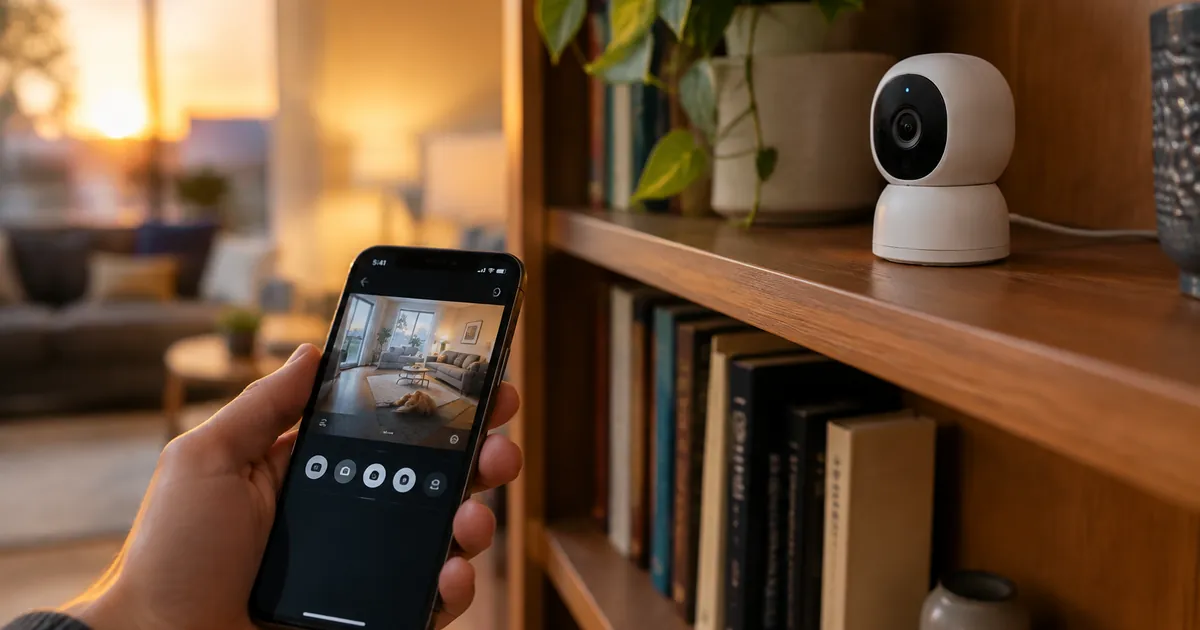
The battery-powered, weatherproof design is the practical choice for indoor use: no wiring means placement is decided by sightlines, not outlets, and the same camera can move to a covered porch or garage later. It connects to standard Wi-Fi, works with Alexa and Google Home, and the live feed lands on your phone wherever you are.
Placement: The Three Rules
1. Cover the choke point, not the whole room
One camera should watch the main entry path — the front door area, the kitchen/living room junction, or the stairway. Traffic funnels through these points; a camera in the corner watching a sofa watches a sofa. Elevated helps: a bookshelf or wall mount at 6–8 feet sees more and stays out of reach of pets and toddlers.
2. Face away from windows
Backlighting ruins night footage — a camera facing a bright window records a silhouette where the subject should be. Position cameras so windows are behind them, not in frame.
3. Put the pet camera where the pets are
If pet-checking is the mission, film the couch, the dog crate, or the food area — wherever the action actually happens. Most pet owners get more value from a camera aimed at the sofa than from one aimed at the door.
Privacy: The Rules That Keep Everyone Comfortable
- Never in bedrooms or bathrooms. Non-negotiable — for household members, guests, and cleaning help alike.
- Tell people. Family, roommates, babysitters, and regular visitors should know cameras exist. It's courteous, and in many jurisdictions it's the law for audio recording.
- Use the physical privacy features. The Stick Up Camera can be disabled from the app when you're home — a camera that's off when everyone's present is a camera nobody resents.
- Secure the account. A unique password and two-factor authentication on the camera app matter more than any camera feature. Your feed should be yours alone.
Beyond Security: The Everyday Uses
Owners report the same unexpected wins: confirming the delivery driver actually left the package, checking whether the teenager made it home, watching the new puppy's first week, and — the classic — finally learning which cat keeps knocking things over. A camera aimed at daily life pays for itself in answered questions long before it ever catches a burglar.
Pair it with a smart home routine
Because the camera works with Alexa and Google Home, it slots into routines: "goodbye" turns off the smart plugs, drops the thermostat to eco, and arms the camera in one command. That's the smart home working as a system instead of a pile of apps.
One Camera or Two? The Coverage Question
For most homes, one well-placed camera covering the main entry choke point answers 90% of daily questions. Add a second when: the house has two levels (stairs are a second choke point), pets are alone in a different room than the entry, or you want eyes on a specific high-value area — the nursery, the office, the room with the piano. The battery-powered Stick Up Camera makes the second camera painless: no wiring means the placement decision is reversible, and cameras can swap locations season by season until the sightlines feel right.
Placement workflow, start to finish
Before mounting anything, prop the camera where you think it belongs and check the live feed from your phone at the same hour you'll actually care about (evening, usually). Verify: the door is in frame, no window glare, no backlight, and the view covers what you came for. Then mount. Ten minutes of checking beats re-drilling — and with a battery model, "re-drilling" is just re-sticking a shelf.
Frequently Asked Questions
How long does the battery last?
Weeks per charge under typical indoor use; heavy traffic (constant motion events) shortens it. A USB top-up takes an hour.
Can it record continuously?
It's motion-triggered by design, which saves battery and storage. Check the app for clip history length and cloud options.
Does it need a subscription?
Core function — live view, alerts, motion clips — works out of the box. Cloud storage plans are optional add-ons.
See the camera and power collection for the full setup — free shipping on every US order.