Smart Thermostat Guide: Compatibility, Setup, and Real Savings
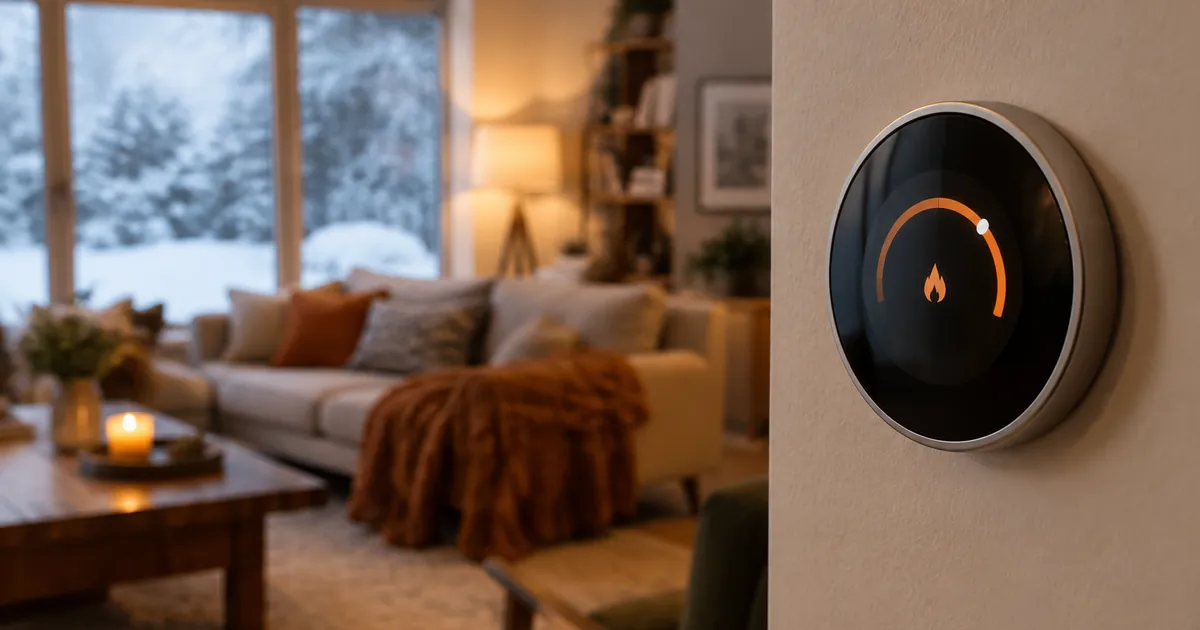
The smart thermostat is the rare gadget that pays for itself. Heating and cooling are the largest energy expense in most homes, and the savings from sensible scheduling and remote control compound every month. But thermostats are also the one smart device where buying the wrong model means a returned box and a wasted afternoon. This guide prevents both.
First: Check Your Compatibility
Two questions determine everything:
1. What kind of heating/cooling do you have?
Standard central HVAC (furnace + AC with a thermostat on the wall) works with most models. If you have electric baseboard heaters, you need a line-voltage model specifically built for them — like the baseboard-compatible Wi-Fi thermostat. Regular low-voltage thermostats cannot control baseboards, no matter what the box implies.
2. Does your wall have a C-wire?
The C-wire supplies constant power. Most homes built in the last 20 years have one; some older homes don't. Models vary in how they handle this — the Honeywell Home T9 includes a power adapter for homes without a C-wire. If you're unsure, photograph your current thermostat's wiring before ordering and match it to the product page's compatibility notes.
What Smart Thermostats Actually Do
- Scheduling and self-programming: models like the self-programming learning thermostat build your schedule from your adjustments — no programming menus.
- Remote control: adjust the house from bed, the office, or the road. Warm up the house 20 minutes before you arrive.
- Voice control: every thermostat in our collection works with Alexa and Google Home.
- Energy reports: see what your heating and cooling actually cost, month over month.
The Realistic Savings Math
Industry studies (EPA ENERGY STAR and utility analyses) put savings at roughly 8% on heating and cooling with proper smart thermostat use — the exact figure depends on your climate and how disciplined the schedule is. On a $2,000/year heating-cooling bill, that's ~$160/year: a mid-range thermostat pays for itself in 12–18 months and keeps saving after. The savings come from three habits: a real schedule (not one temperature 24/7), setbacks while asleep and away, and not cranking the heat (thermostats don't heat faster — furnaces are either on or off).
Setup, honestly described
Expect 30–45 minutes: kill the breaker, photograph the old wiring, swap the plates, connect the wires to the labeled terminals, and let the app walk you through Wi-Fi and scheduling. The touchscreen models — like the Wi-Fi touchscreen thermostat — make the on-device part painless. If your wiring doesn't match the guide, stop and contact the manufacturer before forcing anything.
Choosing Between Our Models
- Baseboard heat: the baseboard-compatible model is the only correct choice.
- Want it to learn your habits: the self-programming model.
- Want a physical interface and adapter included: the Honeywell Home T9.
- Best value touchscreen: the touchscreen Wi-Fi model.
Getting the Savings: The Three Settings That Matter
The 8% figure assumes you use the features. Three settings deliver most of it:
- Sleep setback: 4–6°F cooler in winter (warmer in summer) for sleeping hours. Bodies prefer it; bills follow.
- Away mode: a wider setback during work hours. Remote thermostats shine here — warm the house from the app 20 minutes before you return instead of heating an empty home all day.
- Stop the cranks: a thermostat set to 75°F doesn't heat faster than one set to 70°F — the furnace runs the same speed until the (higher) target is reached. Every degree of target is roughly 1–3% of heating cost.
Smart Thermostats and Smart Homes: Better Together
Because every model in our collection speaks Alexa and Google, the thermostat joins your routines: "goodnight" can drop the temperature, kill the smart plugs, and dim the lights in one command. Voice control also solves the thermostat's worst UX — nobody wants to walk to the hallway to adjust anything. Ask from the couch, done in two seconds.
Frequently Asked Questions
Do smart thermostats work without Wi-Fi?
Yes — basic temperature control works offline. You lose remote control, voice commands, and energy reports until Wi-Fi returns.
Can I install it myself?
Most homeowners can, since it's low-voltage wiring. Kill the breaker, take photos, match labels. If your wiring looks unusual, an HVAC tech visit is cheap insurance.
Will it work with radiator heat?
Steam and hot-water radiator systems vary; check the model's compatibility list before buying, as some boiler systems need specific relay setups.
The Bottom Line
A smart thermostat is the least glamorous and most valuable device in the smart home — the one that pays rent every month. Check your heating type, check your C-wire, and the rest is a 45-minute installation that saves money for a decade.
Ready to stop heating an empty house? Browse the full thermostat collection — free shipping, tax-free checkout.